Zeus (Mobile)
Welcome to the tutorial that will guide you through the process of connecting your Keystone hardware wallet with the Zeus Wallet. In this tutorial, you'll learn how to establish the connection of Zeus. Let's dive in!
1. Preparation
Before you begin, make sure you have the following:
Firmware version V1.7.10.0 or higher( For firmware upgrade instructions, please refer to this guide).
Download the latest version of Zeus Mobile Wallet.
2. Connecting Keystone Hardware Wallet with Zeus Wallet
a. Set up a Wallet on Zeus
Tip: You need to have an Zeus wallet before connecting Keystone to a second wallet. If you already have an Zeus wallet, you can skip to the next step.
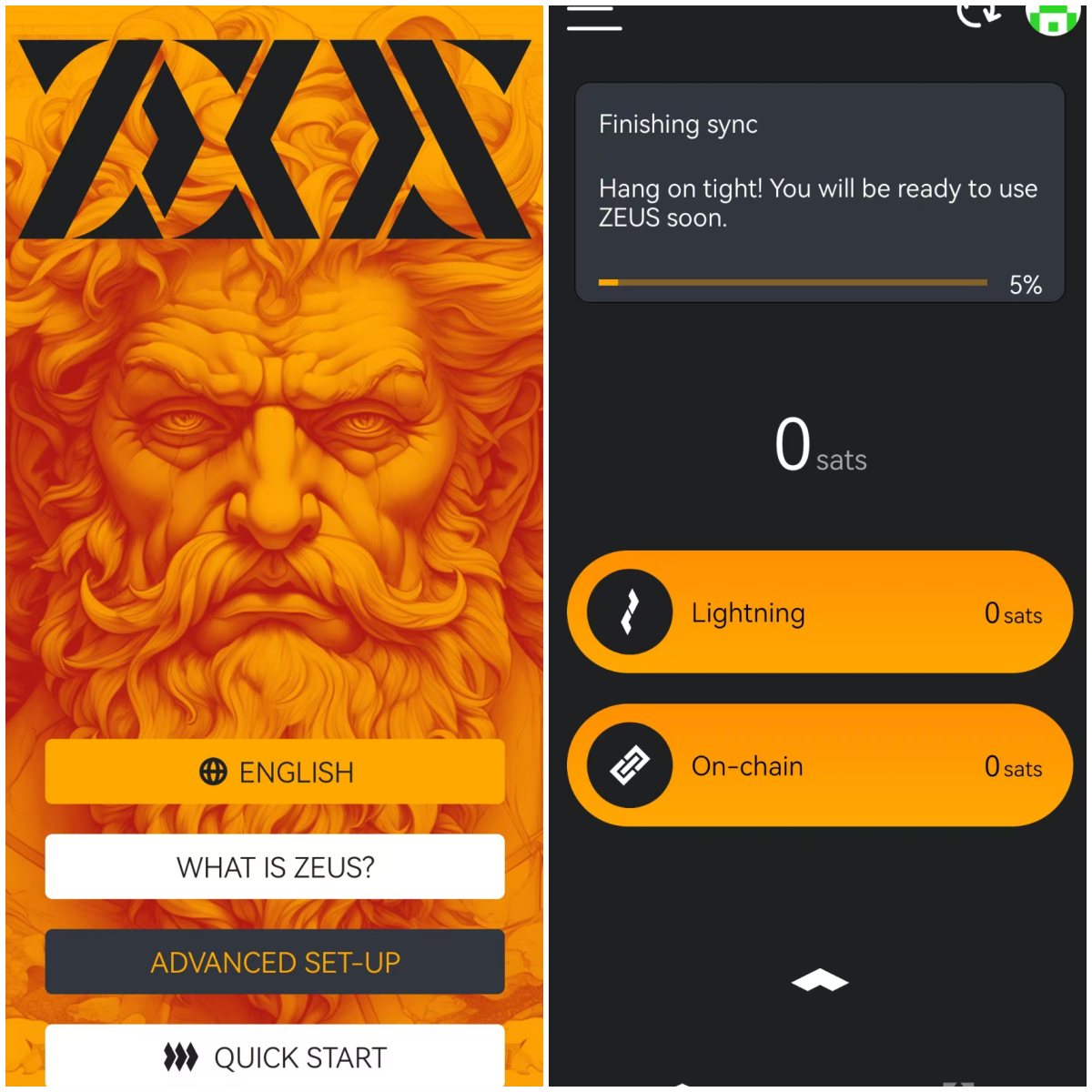
Launch the Zeus wallet and select “QUICK STARE”.
Wait for generating and syncing.
b. Connect Keystone with ZEUS Wallet
On your Keystone hardware wallet:
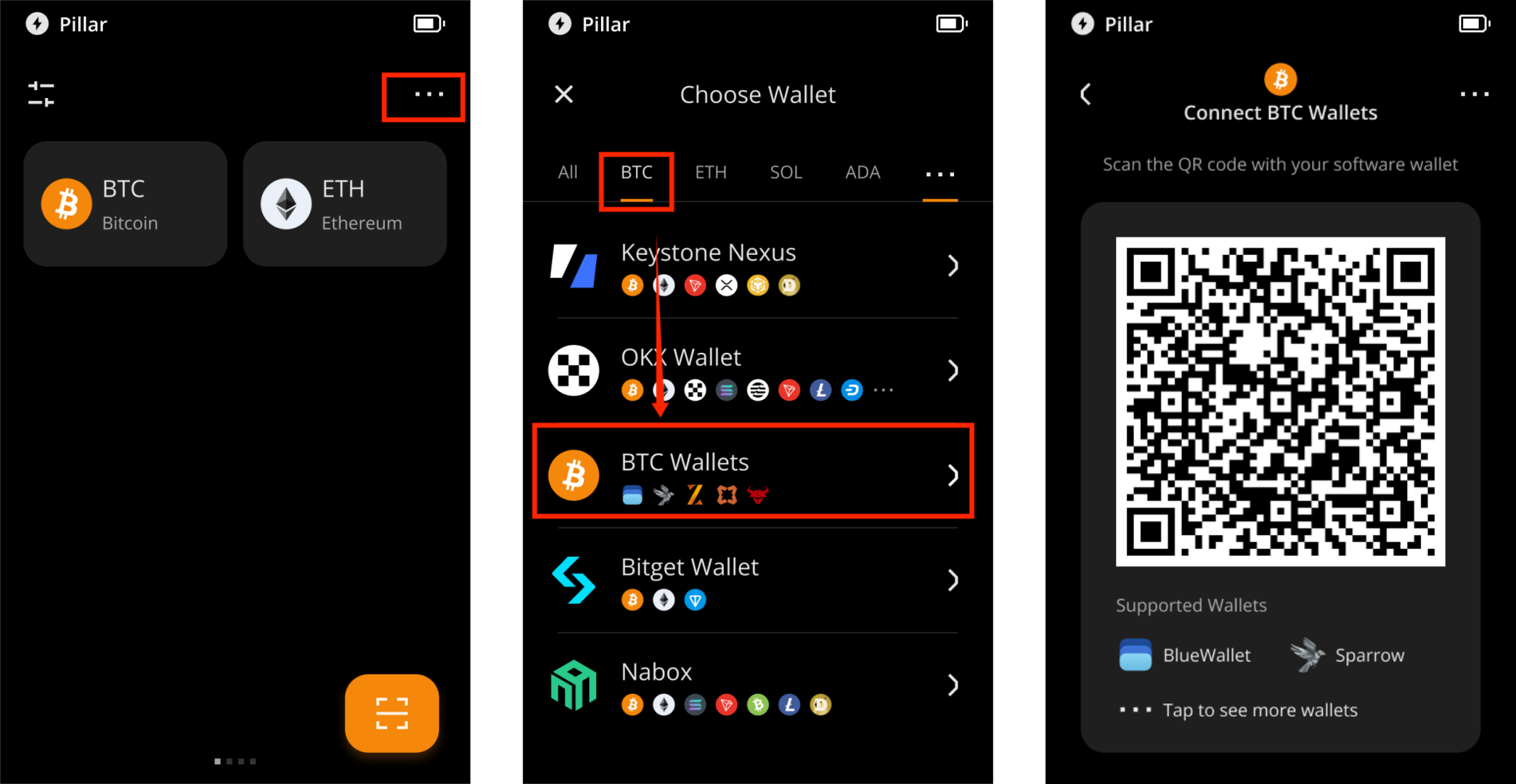
- Tap the "..." icon in the top-right corner and select "Connect Software Wallet".
- On the "Choose Wallet" screen, tap "BTC", then select "BTC Wallets" to generate a QR code for wallet connection.
On your Zeus Wallet
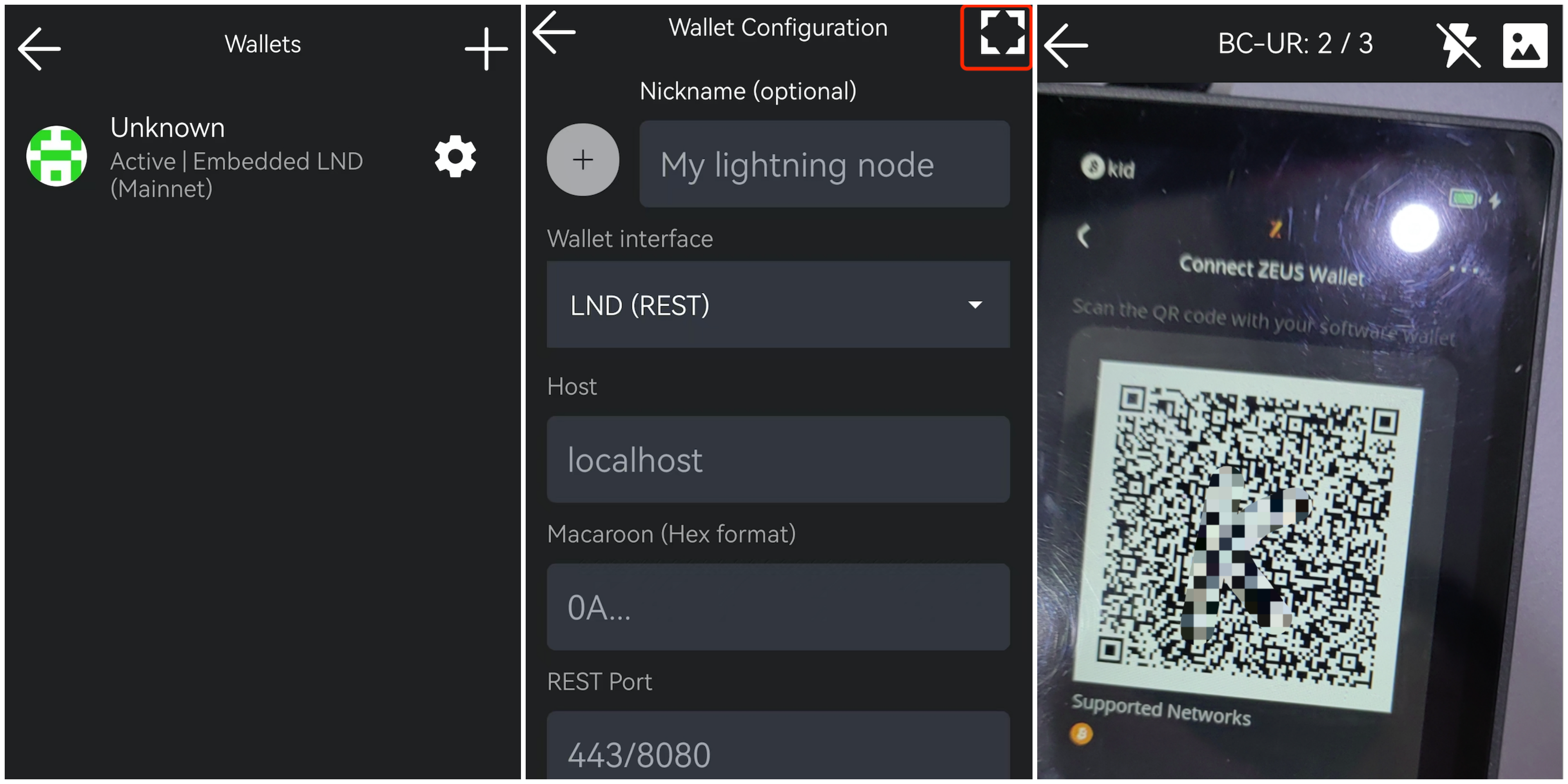
Launch the Zeus Mobile Wallet,tap the wallet icon on the top right corner to enter the wallet page.
Tap the “+” icon on the top right corner,use the phone camera to scan the QR code on your Keystone Wallet.
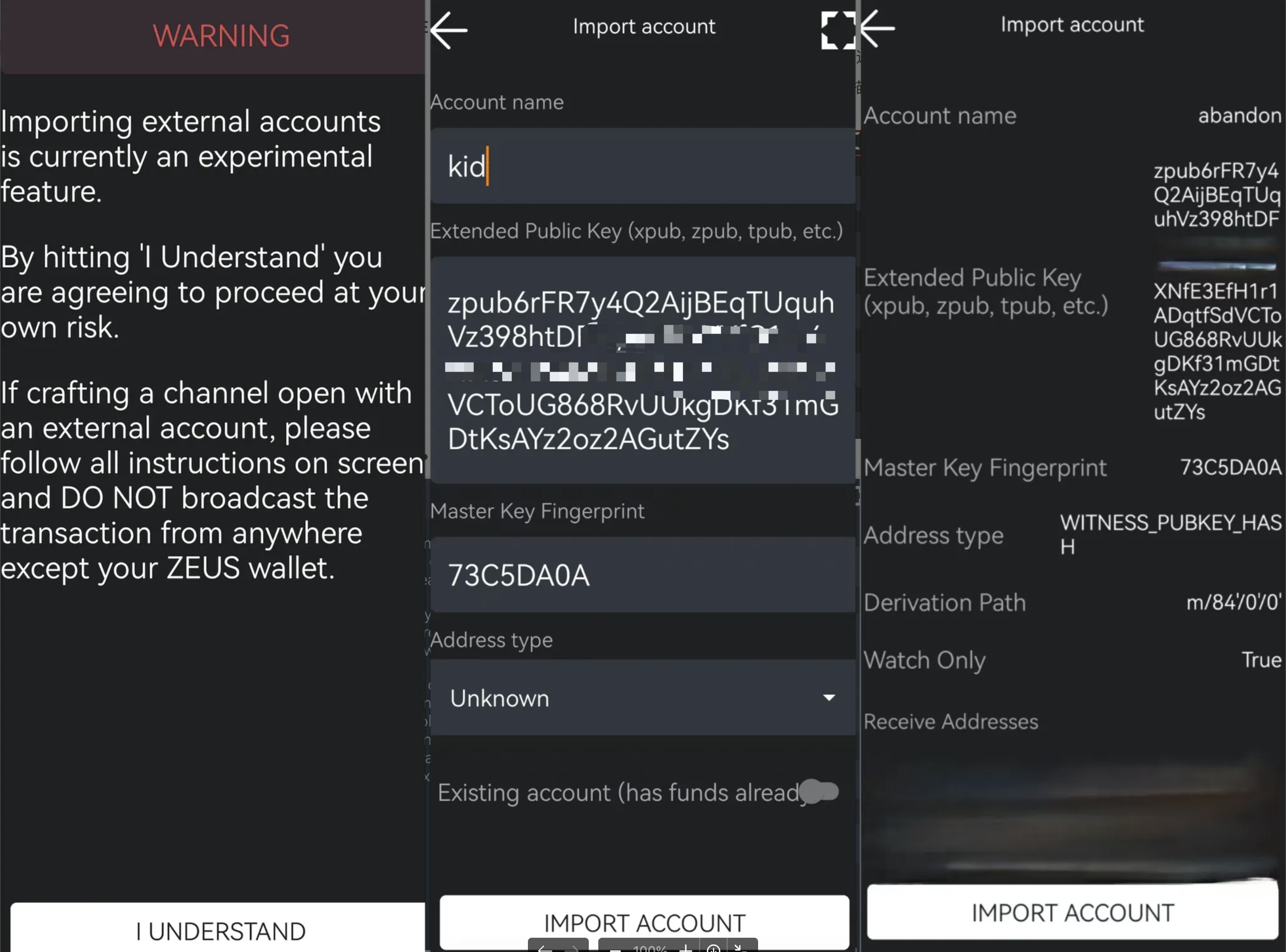
After scanning, read the warning and tap “I UNDERSTAND” and enter the “Import account”page. Set a name and configure the address format for the wallet then click “IMPORT ACCOUNT”on the bottom of the page.
Verify that the imported address format matches the format on the connected device.If the formats match, click "IMPORT ACCOUNT" again to confirm the import.
Wait for syncing information.
Security Note: To protect your assets, we recommend comparing the address displayed in Zeus with the address generated on your Keystone 3 Pro device after the connection is complete, and making sure the two addresses match exactly. Also, do not scan any external QR codes that were not generated by your Keystone device.